
Montgomery County Warrant Lookup Routes
There is no single public statewide Tennessee warrant index. The Montgomery County Sheriff's search is the best first route for adult criminal warrants issued by county courts, but it is not a complete check for city, juvenile, federal, sealed, or out-of-county matters.
For a Circuit or General Sessions case, the Circuit Court Clerk can identify the docket and issuing court. For a Clarksville traffic or ordinance citation, use the municipal case search and ask the City Court Clerk. A Tennessee citizen who needs an existing record can also request sheriff records under the Tennessee Public Records Act.
Montgomery County Circuit docket files help route a county case, while the Tennessee court clerk locator directs warrant questions to the clerk for the county where a case began.
Searching for a Warrant in Montgomery County
Open the official Montgomery County Warrant Search, complete the human verification, and choose Name Search or Warrant Number Search. A name search needs the full last name and at least the first letter of the first name; a middle initial is optional. If a possible match appears, do not treat the result as the signed warrant or a court finding.
The form has no date-of-birth field, court selector, charge filter, warrant-type menu, or status control. It cannot narrow two people with similar names using additional biographical fields. Confirm spelling and identifiers with the Sheriff's Office before deciding that a result belongs to a particular person.
Use the number mode only when paperwork gives a warrant number. A Circuit Criminal docket number follows a separate case-reference pattern, such as 63CC1-YYYY-CR-NNNN; that sample describes a docket format and is not a published warrant-number pattern.
Confirm status through the Sheriff's Office at 931-648-0611 and ask which court issued it. Circuit and General Sessions questions go to the Circuit Court Clerk at 931-648-5700. Clarksville City Court uses a different record system and clerk. If the matter concerns your own case, ask a lawyer about the next step before making an appearance.
- Search by full name or warrant number. The portal requires Cloudflare Turnstile before it enables the buttons.
- Call the sheriff to confirm a possible county hit; no separate public warrant-unit line is listed.
- For Clarksville city traffic or ordinance cases, use the municipal portal and City Court Clerk.
- For a copy or a record the public search cannot confirm, use the sheriff's request page or Form A with Tennessee ID.
- For a federal, juvenile, or another-county matter, contact the relevant court or clerk. Tennessee has no single public statewide warrant search.
Montgomery County Warrant Portal Fields
The county form offers two distinct searches, not one general case lookup. The name mode accepts three name fields. The number mode accepts a warrant number with no published local pattern. There is no search-by-date, court, charge, type, or status option.
Use the form as it is labeled. Although the page lead mentions a case number, its actual button and field say Warrant Number. If you have only a docket or citation number, call the clerk that keeps that case instead.
The official Montgomery County warrant search shows these input modes.
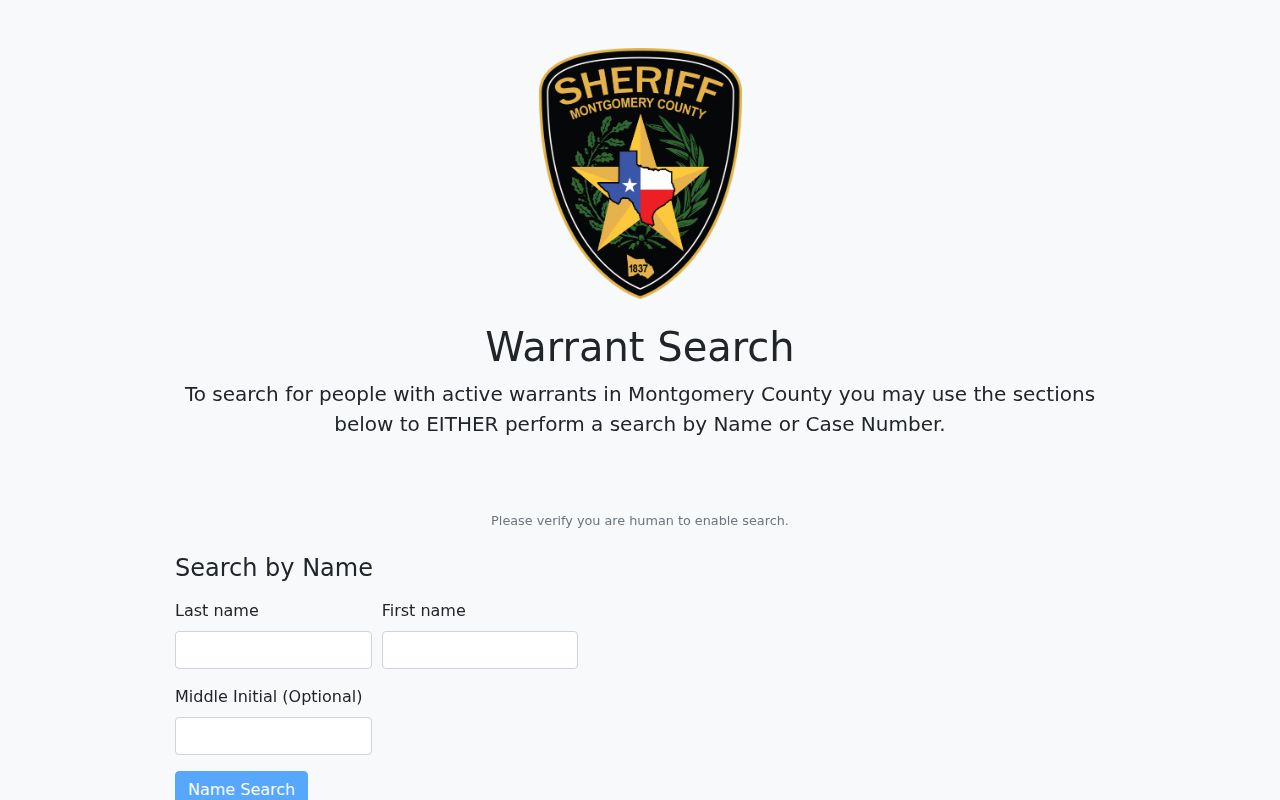
The official search screen displays the name and warrant-number modes. The sheriff's notices still require a separate confirmation.
Montgomery County Warrant Lookup Input Fields
The portal separates the name and warrant-number paths instead of combining them with court or charge filters. Its name option needs the full last name and at least a first-name initial, with a middle initial optional. A Turnstile check appears before submission. No birth-date field is provided, so the search alone cannot distinguish people who share a name.
For Montgomery County, the search form asks for only the fields below. Use exact spelling where possible. It does not expose a birth-date check to distinguish people with similar names, so a match must be confirmed with the sheriff and issuing court.
| Field Label | Type | Required | Notes |
|---|---|---|---|
| Last name | Text | Yes | Full last name required; up to 60 characters. |
| First name | Text | Yes | At least one first-name letter; up to 60 characters. |
| Middle initial | Text | No | Optional, one character. |
| Warrant number | Text | In number mode | At least one character; up to 15. Format not stated. |
| Turnstile check | Human verification | Before submit | Search buttons remain disabled until verification passes. |
Montgomery County Warrant Search Result Fields
The search page exposes its inputs and notices, not a complete result schema. The county Circuit Criminal docket provides more case context, but a docket PDF is not the same as a warrant record. Do not infer a warrant number from a case number.
| Warrant number | The search accepts this value, but no local number format is published. |
|---|---|
| Case number | A docket may use a court/year/criminal sequence, such as 63CC1-YYYY-CR-NNNN. |
| Case detail | Public criminal dockets may show statute, offense, class, hearing, and bond fields. |
| Confirmation | The sheriff and originating clerk confirm current status and the record tied to the case. |
The Circuit docket's sample pattern is a court case identifier only. It is shown here as a format example, never as a live warrant number.
Montgomery County Warrant Search Results
The public interface does not expose every result field before a search, and no private-person record was inspected for this research. The fields below describe what local court and warrant records may contain, not a promise that every search result shows each item. Ask the clerk or sheriff to explain the record attached to a possible match.
| Warrant number | Format not published Ask the sheriff to verify the identifier. |
|---|---|
| Charge and statute | May appear in the related criminal docket, with offense class and hearing notes. |
| Issuing court | Identifies the authority or court that controls the underlying case. |
| Bond or hold | Docket context may list bond type, amount, or a no-bond hold note. |
| Status | Confirm active, served, recalled, or removed status directly with the responsible office. |
Montgomery County Warrant Search Failures
A technical failure and a valid no-match are different outcomes. The county database menu has recently warned of issues affecting the warrant search alongside other public databases. If the page fails to load or verification does not complete, try the sheriff's main line at 931-648-0611 and identify whether the question concerns a county adult criminal case.
For a copy of an identifiable sheriff record, Tennessee citizens can submit the online public-record request or Form A with a specific description. The sheriff requires Tennessee identification for copy requests. When a prompt response is not possible, its policy calls for a response within seven business days; inspection is free, while copies, labor, postage, and redactions may cost money.
The county database menu currently reports issues with the Warrant Search while IT works on website updates. A portal outage does not answer whether a warrant exists. Use the Sheriff's Office main number, the Circuit Court Clerk for Circuit or General Sessions records, or the city clerk for a Clarksville citation. No separate public warrant-division number is listed.
For a copy rather than a quick status check, submit a specific public-records request. The form asks for the record type, time period, and subject matter; a Tennessee ID or driver's-license copy is requested with the PDF form. The policy permits redactions and may charge for copies, labor, or postage.
The sheriff's request page is the starting point for the online request and PDF route.
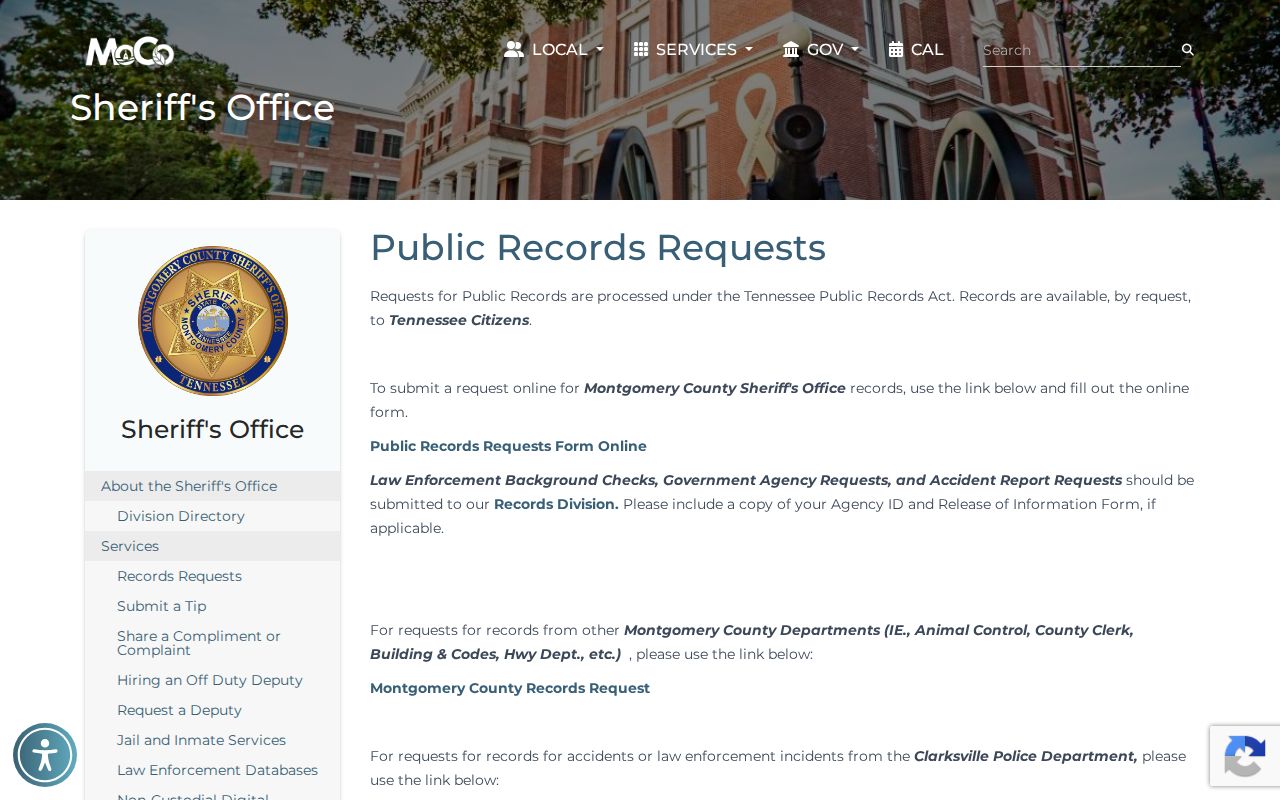
The county request page describes its records channels. A request can seek an existing record, but the county need not create a new report or certify a search result.
Where to Check Warrants in Montgomery County
The sheriff search is countywide for adult criminal warrants issued by Montgomery County courts. The Circuit Court Clerk keeps Circuit and General Sessions criminal and traffic business. Clarksville Municipal Court keeps its city ordinance and traffic records. Juvenile records are handled separately and are restricted.
The Circuit Court Clerk's public counter is at 2 Millennium Plaza, Suite 115, Clarksville, and its published hours are weekdays from 8 a.m. to 4:30 p.m. A docket search may identify a charge, hearing, bond note, or case progression, but it is not the same as the sheriff's warrant query. Ask the clerk which court division owns the file before sending a request.
Tennessee has no single public statewide warrant search. TBI's Most Wanted program is a curated list, not a full state index. Federal cases use federal court channels. A full personal check means identifying the case's court and jurisdiction, then confirming with the office that holds it.
The county court directory identifies the Courts Center offices shown here.
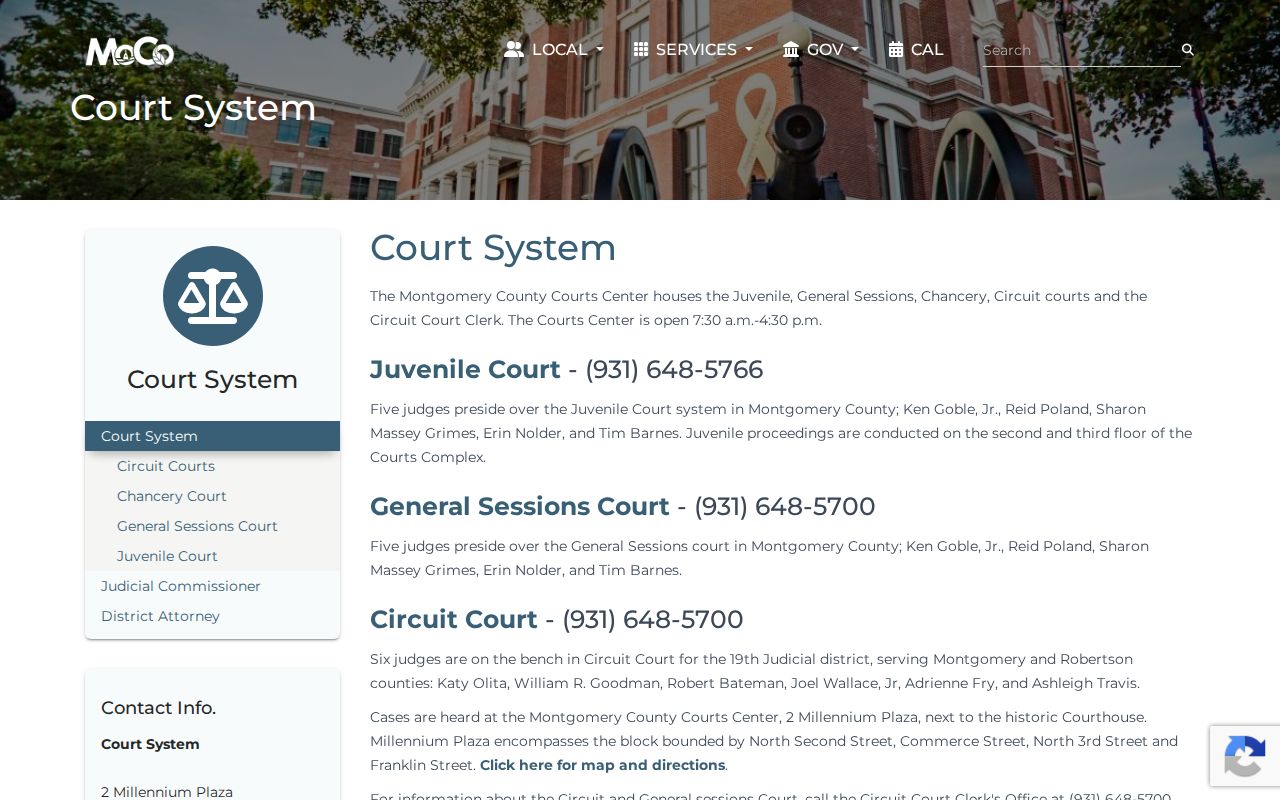
The Courts Center provides the county clerk and court channel. Clarksville City Court remains at a separate location and uses its own records portal.
Clarksville City Warrant Search Route
A Clarksville traffic citation or ordinance file is handled by Municipal Court, at 106 Public Square, with clerk inquiries at 1 Public Square, Suite 122. Call the clerk at 931-648-4604 about a citation number or warrant label. Clarksville Police at 135 Commerce Street is not the citation-payment counter.
A Clarksville citation does not become a county sheriff record just because the city sits inside Montgomery County. City Court's case search exposes labels for citation, docket, police case, warrant number, plate, and VIN, with criteria that depend on the selected mode. The separate payment portal supports citation, name, license, and vehicle routes. Its available fields can change.
Call the City Court Clerk at 931-648-4604 when an online result does not explain a city warrant or FTA. The municipal case-search page is linked by the city and is not the county's full adult criminal database.
Montgomery County Warrant Access Rules
The Tennessee Public Records Act gives Tennessee citizens access to many county records, but it does not make every warrant file public or force a search portal to show every record. The sheriff can redact confidential material. Juvenile files have separate confidentiality rules, and sealed, recently issued, or investigation-related records may be absent from a public search.
Key Rules:
A sealed or exempt record may not appear in a public search; ask the court what it can release.
Juvenile records are protected by Tennessee law and are excluded from the adult sheriff database.
A no-result does not prove that no warrant exists. Confirm with the sheriff and the court tied to the case.